IPTV EPG Guide — Electronic Program Guide Setup & TVG-ID
If you need to set up IPTV EPG (Electronic Program Guide), this comprehensive IPTV EPG guide covers everything. Learn what IPTV EPG is, how tvg-id matching works for IPTV EPG, how to configure IPTV EPG in TiviMate and Kodi, and how to fix missing IPTV EPG data. Understanding IPTV EPG setup is essential for showing programme schedules in your IPTV player.
What Is IPTV EPG?
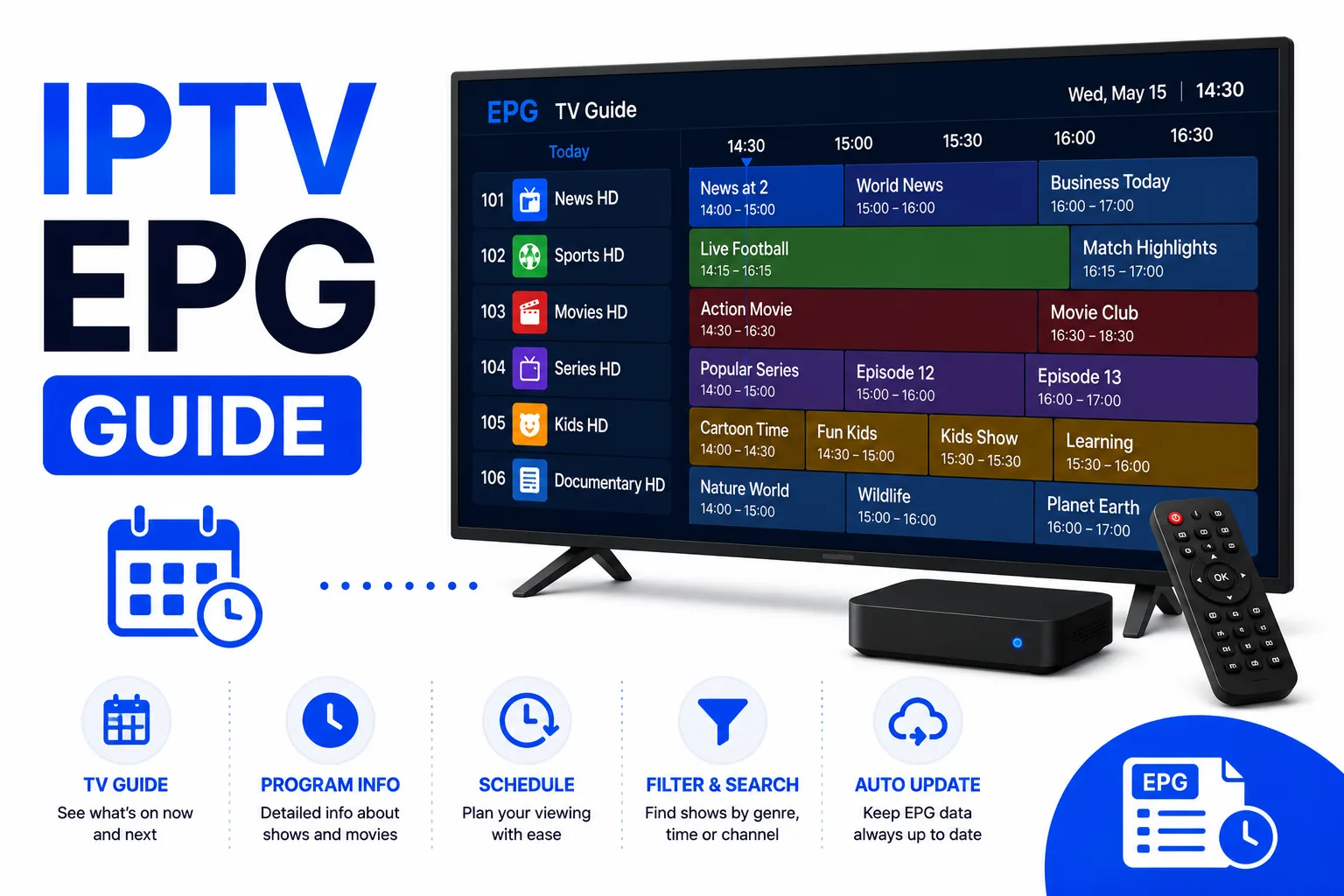
IPTV EPG stands for Electronic Program Guide. In IPTV, the IPTV EPG is the on-screen schedule that shows what is currently broadcasting and what is coming up next on each channel — the digital equivalent of a printed TV guide.
Unlike the channel stream itself, IPTV EPG data is delivered separately. Your IPTV player downloads an IPTV EPG schedule file (in XMLTV format) from a URL you provide, parses it, and displays the programme information alongside each channel. The connection between a channel in your M3U playlist and its schedule data in the IPTV EPG file is made through the tvg-id attribute.
How tvg-id Matching Works in IPTV EPG
The IPTV EPG matching process works like this:
- Your M3U playlist contains a
tvg-idattribute on each channel’s#EXTINFline for IPTV EPG matching. - The IPTV EPG source (XMLTV file) contains channel entries, each identified by an ID.
- The IPTV player compares the
tvg-idfrom the M3U to the channel IDs in the IPTV EPG XMLTV file. - When they match exactly, the player displays that channel’s programme schedule from the IPTV EPG.
The IPTV EPG matching is case-sensitive and exact. If your M3U has tvg-id="bbc.one" but the IPTV EPG source uses BBC One.uk, no match is made and no IPTV EPG data appears.
# In your M3U playlist:
#EXTINF:-1 tvg-id="bbc.one.uk" tvg-name="BBC One",BBC One HD
http://provider.example.com/live/bbc1.ts

# In the XMLTV EPG file (must match exactly):
<channel id="bbc.one.uk">
  <display-name>BBC One</display-name>
</channel>
What Is XMLTV?
XMLTV is the standard format for EPG data. It is an XML file that contains:
- A list of channels, each with an ID and display name
- Programme entries for each channel, with start/stop times, titles, descriptions, and categories
IPTV players download the XMLTV file from a URL you provide (or one supplied by your IPTV provider) and cache it locally. The file is typically updated once per day.
Popular free EPG sources include EPGSHARE, i.mjh.nz (for various regions), and provider-specific EPG URLs. Your IPTV provider usually supplies an EPG URL alongside your M3U URL.
Setting Up IPTV EPG in TiviMate
- Open TiviMate and go to Settings → EPG Sources to configure your IPTV EPG.
- Tap Add Source and enter your XMLTV URL for the IPTV EPG.
- Set the IPTV EPG update interval (once per day is standard).
- Go back to Settings → Playlists, select your playlist, and enable Match channels by TVG-ID for proper IPTV EPG matching.
- Force an IPTV EPG refresh: pull down on the channel list to trigger an EPG update.
If channels still show no IPTV EPG, open Settings → Channels, find a problem channel, and tap Edit to manually set the EPG ID for IPTV EPG matching.
Setting Up EPG in Kodi
- Open the PVR IPTV Simple Client add-on settings.
- Go to the EPG Settings tab.
- Enable Use EPG from file or URL.
- Enter your XMLTV URL in the EPG URL field.
- Set EPG cache time and restart Kodi.
- Navigate to TV → Guide to see the programme schedule.
Fixing Missing EPG Data
No EPG on any channel
- Verify your EPG URL loads in a browser (it should return XML data).
- Check the player has downloaded the EPG — look for a "last updated" timestamp in EPG settings.
- Ensure the XMLTV file isn’t empty or returning an error response.
EPG missing on specific channels
- Compare the
tvg-idin your M3U to the channel IDs in the XMLTV file exactly — letter case, dots, hyphens all matter. - Use your IPTV app’s manual channel matching feature to override the tvg-id for problem channels.
- Check that the EPG source covers the channels you need — regional channels are often missing from generic EPG sources.
EPG shows wrong programme on a channel
- This is almost always a timezone mismatch. Check the timezone setting in your IPTV player and ensure it matches your local timezone.
- Some EPG sources broadcast in UTC. Your player should handle the conversion automatically if the timezone is set correctly.
FAQ
What is EPG in IPTV?
EPG (Electronic Program Guide) is the on-screen TV schedule. It shows what is currently playing and what comes next on each channel. In IPTV, EPG data is downloaded separately from the stream via an XMLTV URL.
What is tvg-id?
tvg-id is an attribute in the M3U #EXTINF tag that identifies a channel for EPG matching. It must match the channel ID in your EPG source exactly for programme data to appear.
Why is my EPG not showing?
The most common cause is a mismatch between the tvg-id in your M3U and the channel IDs in your EPG source. They must match exactly, including case and punctuation.
What is XMLTV?
XMLTV is the standard XML format for EPG data. It contains channel definitions and programme schedules. IPTV players download this file from a URL you provide and display the schedule data.