M3U Tags Reference — Every M3U Tag and Attribute Explained
If you're looking for a complete M3U tags reference, this guide explains every M3U tag and attribute used in M3U playlists. From essential M3U tags like #EXTM3U and #EXTINF to EXTINF attributes like tvg-id and group-title, this comprehensive M3U tags guide covers syntax, usage notes, and player compatibility for each M3U tag. Understanding M3U tags is essential for creating and troubleshooting playlists.
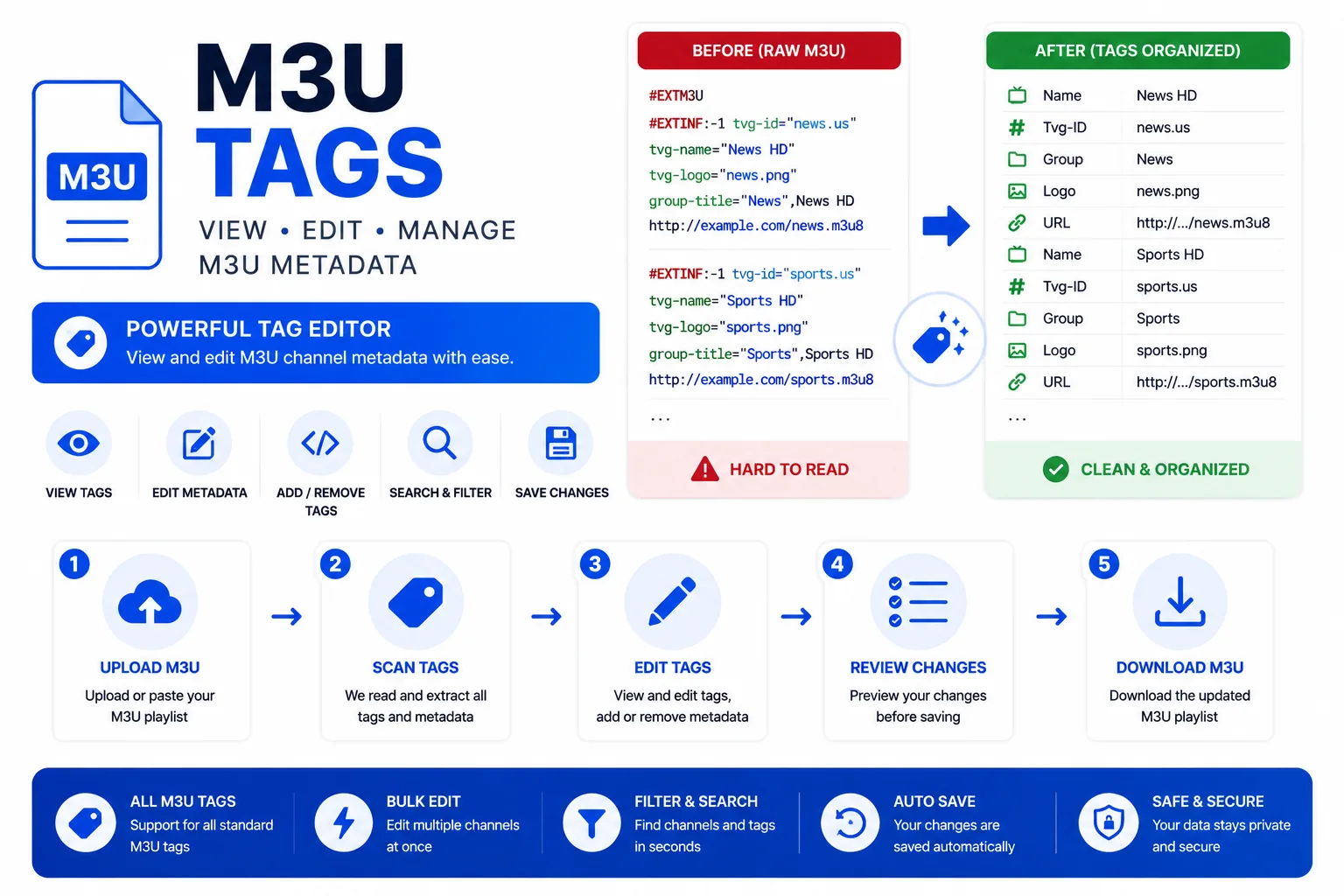
Understanding M3U Tags
M3U tags transform simple URL lists into rich multimedia playlists with metadata. Every M3U tag serves a specific purpose: some M3U tags like #EXTM3U apply to the entire playlist, while others like #EXTINF describe individual entries. Learning M3U tags enables you to create professional-grade IPTV playlists with channel logos, EPG integration, and organized categories. This M3U tags reference covers both universal M3U tags supported across all players and player-specific M3U tags extensions.
The M3U tags specification evolved from audio playlists (Winamp, 1998) to modern streaming applications. Today's M3U tags support live TV, VOD, HLS streaming, and complex metadata. Understanding which M3U tags are required versus optional, and which M3U tags work in which players, is essential for M3U playlist creation and troubleshooting.
#EXTM3UHeaderRequiredThe foundational M3U tag that must be the very first line of every extended M3U file. Without this M3U tag, most players treat the file as basic M3U and ignore all metadata. The optional x-tvg-url attribute sets the EPG source URL for the entire playlist.
#EXTM3U x-tvg-url="http://epg.example.com/xmltv.xml"#EXTINFEntry metadataRequiredThe most important M3U tag after #EXTM3U. This M3U tag appears immediately before each stream URL and contains the duration (or -1 for live), all channel attributes, and the display name after the final comma. No blank line is allowed between this M3U tag and the URL that follows.
#EXTINF:-1 tvg-id="bbc.one" tvg-name="BBC One" tvg-logo="https://…/logo.png" group-title="UK",BBC One HDtvg-idEXTINF attributeThe Electronic Program Guide identifier. Must match the channel ID in your XMLTV EPG source exactly — including case, dots, and hyphens. If it doesn't match, no programme data will appear for that channel.
tvg-id="bbc.one.uk"tvg-nameEXTINF attributeThe internal channel name used as a fallback for EPG matching when tvg-id is missing. Some players (TiviMate, Kodi) also use it to pre-fill the display name when importing.
tvg-name="BBC One"tvg-logoEXTINF attributeA URL pointing to the channel logo image. Displayed in the channel list. Supported formats: PNG, JPG, SVG. The URL must be publicly accessible — logos behind authentication will not load.
tvg-logo="https://example.com/logos/bbc1.png"group-titleEXTINF attributeGroups channels into folder-style categories in the player UI. Channels with identical group-title values are shown together. Case-sensitive — 'Sports' and 'sports' create two separate groups.
group-title="UK | Entertainment"x-tvg-urlEXTM3U attributeSet on the #EXTM3U header line to specify the EPG source URL for the whole playlist. Players that support this attribute (TiviMate, IPTV Smarters, Kodi with PVR) will automatically load and match the EPG data.
#EXTM3U x-tvg-url="http://epg.example.com/xmltv.xml"#EXT-X-TARGETDURATIONHLS tagHLS-only tag. Specifies the maximum segment duration in seconds. Only appears in M3U8 HLS manifests, not in IPTV channel playlists.
#EXT-X-TARGETDURATION:10#EXT-X-ENDLISTHLS tagHLS-only tag. Marks a VOD playlist as complete. Absent in live HLS streams. Not used in IPTV channel playlists.
#EXT-X-ENDLIST#EXTVLCOPTVLC extensionVLC-specific extension for passing playback options. Commonly used to set a custom user-agent for streams that require browser identification. Only parsed by VLC.
#EXTVLCOPT:http-user-agent=Mozilla/5.0Check your M3U tags automatically
The M3U Validator scans every M3U tag including EXTINF tags and reports syntax errors, missing commas, and malformed attributes in your M3U tags.