Convert M3U to JSON — Export IPTV Playlist as Structured Data
Learning how to convert M3U to JSON gives you structured, queryable channel data. This complete guide on how to convert M3U to JSON covers browser tools, JavaScript code, and Python scripts to convert M3U to JSON. Whether you need to convert M3U to JSON for databases, custom apps, or automation, these methods to convert M3U to JSON will help. Converting M3U to JSON makes importing into databases, querying data, and building custom IPTV apps much easier.
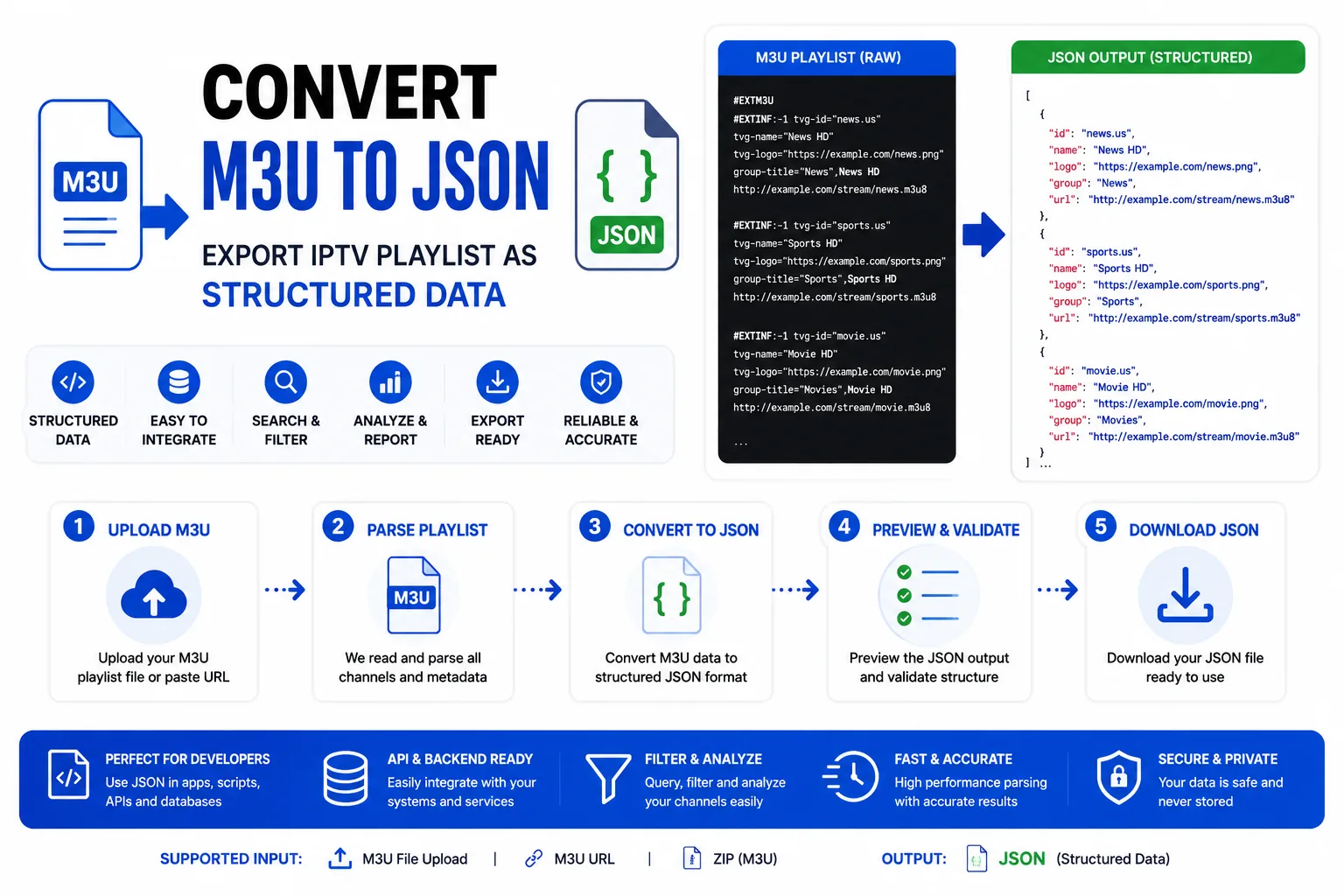
Method 1 — M3U Converter tool to convert M3U to JSON (no code)
The fastest way to convert M3U to JSON. No installation, no code, runs in your browser:
- Open the M3U Converter tool to convert M3U to JSON.
- Paste your M3U content or upload a file.
- Select JSON as the output format to convert M3U to JSON.
- Click Convert.
- Click Download .json — your M3U is now converted to JSON.
The output when you convert M3U to JSON is a JSON array where each element represents one channel with all its metadata fields.
JSON output structure when you convert M3U to JSON
Each channel in the JSON array has these fields when you convert M3U to JSON:
[
  {
    "title": "BBC One HD",
    "url": "http://provider.example.com/live/user/pass/101.ts",
    "duration": -1,
    "tvgId": "bbc.one.uk",
    "tvgName": "BBC One",
    "tvgLogo": "https://logos.example.com/bbc1.png",
    "groupTitle": "UK | Entertainment"
  },
  {
    "title": "Sky Sports Main",
    "url": "http://provider.example.com/live/user/pass/201.ts",
    "duration": -1,
    "tvgId": "sky.sports.main",
    "tvgName": "Sky Sports Main",
    "tvgLogo": "https://logos.example.com/skysports.png",
    "groupTitle": "UK | Sports"
  }
]| Field | Source in M3U | Type |
|---|---|---|
title | Display name after comma in #EXTINF | string |
url | Stream URL line after #EXTINF | string |
duration | #EXTINF duration value | number (-1 for live) |
tvgId | tvg-id attribute | string |
tvgName | tvg-name attribute | string |
tvgLogo | tvg-logo attribute | string (URL) |
groupTitle | group-title attribute | string |
Method 2 — JavaScript parser to convert M3U to JSON
For use in Node.js scripts, browser apps, or any JavaScript environment to convert M3U to JSON:
function parseM3U(text) {
  const lines = text.split(/\r?\n/);
  const entries = [];
  let pending = null;

  for (const line of lines) {
    const trimmed = line.trim();
    if (!trimmed) continue;

    if (trimmed.startsWith('#EXTINF')) {
      const durationMatch = trimmed.match(/#EXTINF:([-\d.]+)/);
      const titleMatch = trimmed.match(/,(.+)$/);
      const attrMatch = (attr) => {
        const m = trimmed.match(new RegExp(`${attr}="([^"]*)"`, 'i'));
        return m ? m[1] : '';
      };

      pending = {
        duration: durationMatch ? parseFloat(durationMatch[1]) : -1,
        title: titleMatch ? titleMatch[1].trim() : '',
        tvgId: attrMatch('tvg-id'),
        tvgName: attrMatch('tvg-name'),
        tvgLogo: attrMatch('tvg-logo'),
        groupTitle: attrMatch('group-title'),
      };
    } else if (!trimmed.startsWith('#') && pending) {
      entries.push({ ...pending, url: trimmed });
      pending = null;
    }
  }
  return entries;
}

// Usage:
const json = JSON.stringify(parseM3U(m3uText), null, 2);
Method 3 — Python parser to convert M3U to JSON
For data pipelines, database imports, or server-side processing to convert M3U to JSON:
import re
import json

def parse_m3u(text):
    entries = []
    pending = None

    for line in text.splitlines():
        line = line.strip()
        if not line:
            continue

        if line.startswith('#EXTINF'):
            duration_match = re.search(r'#EXTINF:([-\d.]+)', line)
            title_match = re.search(r',(.+)$', line)

            def get_attr(attr):
                m = re.search(rf'{attr}="([^"]*)"', line, re.IGNORECASE)
                return m.group(1) if m else ''

            pending = {
                'duration': float(duration_match.group(1)) if duration_match else -1,
                'title': title_match.group(1).strip() if title_match else '',
                'tvg_id': get_attr('tvg-id'),
                'tvg_name': get_attr('tvg-name'),
                'tvg_logo': get_attr('tvg-logo'),
                'group_title': get_attr('group-title'),
            }
        elif not line.startswith('#') and pending:
            pending['url'] = line
            entries.append(pending)
            pending = None

    return entries

# Usage:
with open('playlist.m3u', 'r', encoding='utf-8') as f:
    data = parse_m3u(f.read())

with open('channels.json', 'w', encoding='utf-8') as f:
    json.dump(data, f, indent=2, ensure_ascii=False)
What to do with M3U JSON data after you convert M3U to JSON
- Import into a database — after you convert M3U to JSON, store channels in PostgreSQL, SQLite, or MongoDB for fast querying and filtering.
- Build a custom IPTV frontend — use the JSON data from convert M3U to JSON as the data source for a React/Vue channel guide.
- EPG matching scripts — compare tvg-id values against an EPG source after you convert M3U to JSON to find unmatched channels.
- Channel analytics — when you convert M3U to JSON, count channels per group, measure logo coverage, identify missing metadata.
- Feed a search index — after you convert M3U to JSON, import into Elasticsearch or Algolia for full-text channel search.
Frequently Asked Questions
How do I convert M3U to JSON?
Use the M3U Converter tool to convert M3U to JSON in your browser instantly without any installation, or use the JavaScript/Python code examples provided in this guide to convert M3U to JSON for automated conversions in scripts or applications. Both methods to convert M3U to JSON are free and work offline.
What format does M3U JSON use?
When you convert M3U to JSON, each channel becomes a JSON object with fields: title, url, duration, tvgId, tvgName, tvgLogo, and groupTitle. The output when you convert M3U to JSON is a JSON array of these objects, making the data easy to query and import into databases.
Can I convert M3U to JSON in Python?
Yes, use the Python parser code provided in this guide to convert M3U to JSON. It reads M3U files, parses EXTINF tags, and exports structured JSON data suitable for databases or APIs. The Python script to convert M3U to JSON handles UTF-8 encoding correctly and preserves all metadata fields.
Why convert M3U to JSON?
Convert M3U to JSON for easier querying, importing into databases (PostgreSQL, MongoDB), using in custom apps, or feeding to search indexes like Elasticsearch. After you convert M3U to JSON, it becomes structured data vs plain text, enabling powerful filtering and search capabilities that aren't possible with M3U format.
Does converting M3U to JSON lose any data?
No, when you convert M3U to JSON using the tools and code in this guide, all metadata is preserved: channel names, URLs, tvg-id, tvg-logo, group-title, and duration. The M3U Converter and code examples to convert M3U to JSON extract every field from EXTINF tags into corresponding JSON properties.
Convert M3U to JSON now
Free tool to convert your playlist to JSON, runs in browser, no upload required.